• Product
  • Suppliers
  • Manufacturers
  • Solutions
  • Free tools
  • Knowledges
  • Experts
  • Communities
Search


Rockwill Smart Auto Recloser Quick Operation Guide

Rockwill
Field: Manufacturing
China

1. Local Quick Operation Procedure (On-site Panel)

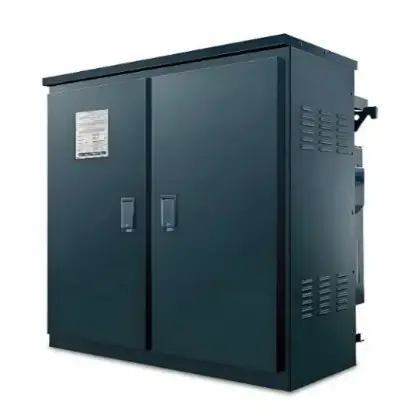
Step 1: Open the Control Cabinet
Use the standard cabinet key to unlock the controller and open the door.

Step 2: Power Check and System Status

  • Ensure the controller is powered (battery level is sufficient or external AC/DC is connected).

  • Observe the LED indicators or HMI screen:

    • Breaker status (Open/Closed)

    • Fault or Lockout indicators

    • Communication and battery indicators

Step 3: Manually Open or Close the Recloser

  • To open (trip) the circuit: press the “OFF” button.

  • Wait for the LED or screen to confirm the recloser is open.

  • After clearing the fault, press the “ON” button to reclose.

Step 4: Switch Operation Mode

  • Use the mode selector switch or HMI setting to choose “Manual” or “Auto” mode.

  • In “Auto” mode, the recloser will automatically execute its reclosing logic after faults.

Step 5: Reset After Lockout (if applicable)

  • If a fault lockout has occurred, press the “RESET” button.

  • Confirm that lockout indicators are cleared before re-energizing.

2. Remote Quick Operation Procedure (Via SCADA/RTU)

Step 1: Confirm Connection
Ensure the recloser is communicating via SCADA using GPRS, 4G, or fiber. The remote interface (SCADA/DMS) must show online status.

Step 2: Send Remote Control Commands

  • Use the SCADA interface to issue “Open” or “Close” command.

  • Confirm that the recloser changes status and feedback is updated.

Step 3: Monitor Live Data

  • Observe real-time values such as current, voltage, fault alarms, and breaker position from the SCADA interface.

Step 4: Remote Reset (if available)

  • If lockout occurs and remote reset is enabled, send the “Reset” command.

  • Otherwise, reset must be performed locally.

3. Summary of Key Actions

  • To Open (Trip): Press “OFF” on HMI or send “Open” via SCADA

  • To Close (Reclose): Press “ON” on HMI or send “Close” via SCADA

  • To Switch Mode: Set the selector to “Auto” for automatic reclose, “Manual” for local control

  • To Reset Fault Lockout: Press “RESET” on HMI after fault clearance

  • To Monitor Status: Check HMI screen or SCADA dashboard for live breaker status and fault indicators

4. Important Notes

  • Always confirm the system is free from faults before reclosing.

  • In Auto mode, the recloser may automatically reclose based on configured time-delay sequences.

  • Ensure safety protocols and PPE are followed at all times.

  • Protection settings and reclosing sequences should be pre-configured using authorized software tools.
Give a tip and encourage the author!

Recommended

Faults and Handling of Single-phase Grounding in 10kV Distribution Lines
Characteristics and Detection Devices for Single-Phase Ground Faults1. Characteristics of Single-Phase Ground FaultsCentral Alarm Signals:The warning bell rings, and the indicator lamp labeled “Ground Fault on [X] kV Bus Section [Y]” illuminates. In systems with a Petersen coil (arc suppression coil) grounding the neutral point, the “Petersen Coil Operated” indicator also lights up.Insulation Monitoring Voltmeter Indications:The voltage of the faulted phase decreases (in
01/30/2026
Neutral point grounding operation mode for 110kV~220kV power grid transformers
The arrangement of neutral point grounding operation modes for 110kV~220kV power grid transformers shall meet the insulation withstand requirements of transformer neutral points, and shall also strive to keep the zero-sequence impedance of substations basically unchanged, while ensuring that the zero-sequence comprehensive impedance at any short-circuit point in the system does not exceed three times the positive-sequence comprehensive impedance.For 220kV and 110kV transformers in new constructi
01/29/2026
Why Do Substations Use Stones, Gravel, Pebbles, and Crushed Rock?
Why Do Substations Use Stones, Gravel, Pebbles, and Crushed Rock?In substations, equipment such as power and distribution transformers, transmission lines, voltage transformers, current transformers, and disconnect switches all require grounding. Beyond grounding, we will now explore in depth why gravel and crushed stone are commonly used in substations. Though they appear ordinary, these stones play a critical safety and functional role.In substation grounding design—especially when multiple gr
01/29/2026
Why Must a Transformer Core Be Grounded at Only One Point? Isn't Multi-Point Grounding More Reliable?
Why Does the Transformer Core Need to Be Grounded?During operation, the transformer core, along with the metal structures, parts, and components that fix the core and windings, are all situated in a strong electric field. Under the influence of this electric field, they acquire a relatively high potential with respect to ground. If the core is not grounded, a potential difference will exist between the core and the grounded clamping structures and tank, which may lead to intermittent discharge.I
01/29/2026
Send inquiry
+86
Click to upload file
Download
Get the IEE Business Application
Use the IEE-Business app to find equipment, obtain solutions, connect with experts, and participate in industry collaboration anytime, anywhere—fully supporting the development of your power projects and business.